AlgoTrade
Live AlgoTrade
Live AlgoTrade (Real-Time Execution) - Overview :
Live AlgoTrade allows you to execute your strategy in real-time market conditions using your connected broker account. It enables actual trade execution, helping you automate your strategy with real capital and monitor real-time performance.
How to perform Live AlgoTrade?
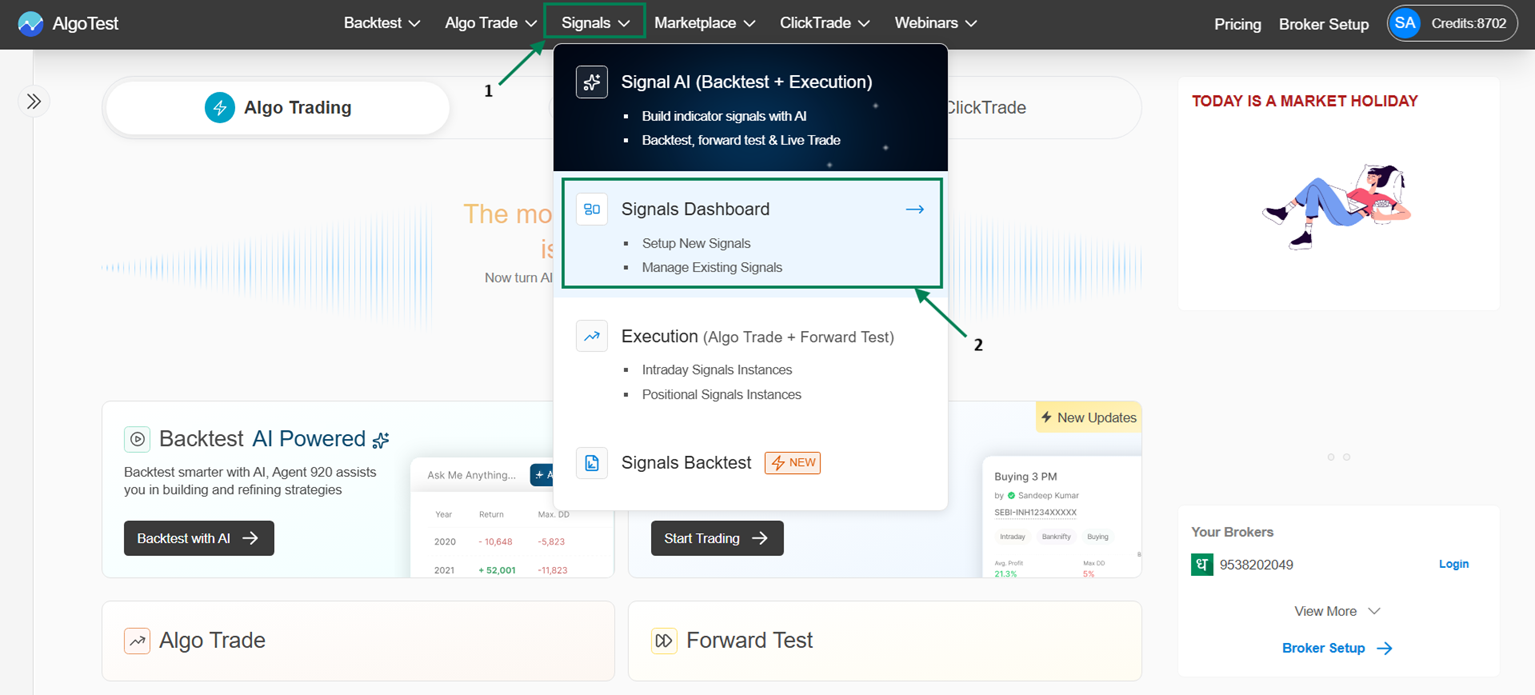
You can deploy your saved signal strategy for real-time execution in your broker account from Indicator Saved Signals. Configure the Execution settings, then click on AlgoTrade, connect your broker, and click on Deploy. The strategy will be deployed under Indicator → AlgoTrade.
Navigation Flow:
Signal → Signal Dashboard → Indicator → Saved Signals → Click on AlgoTrade under Saved Signals
\
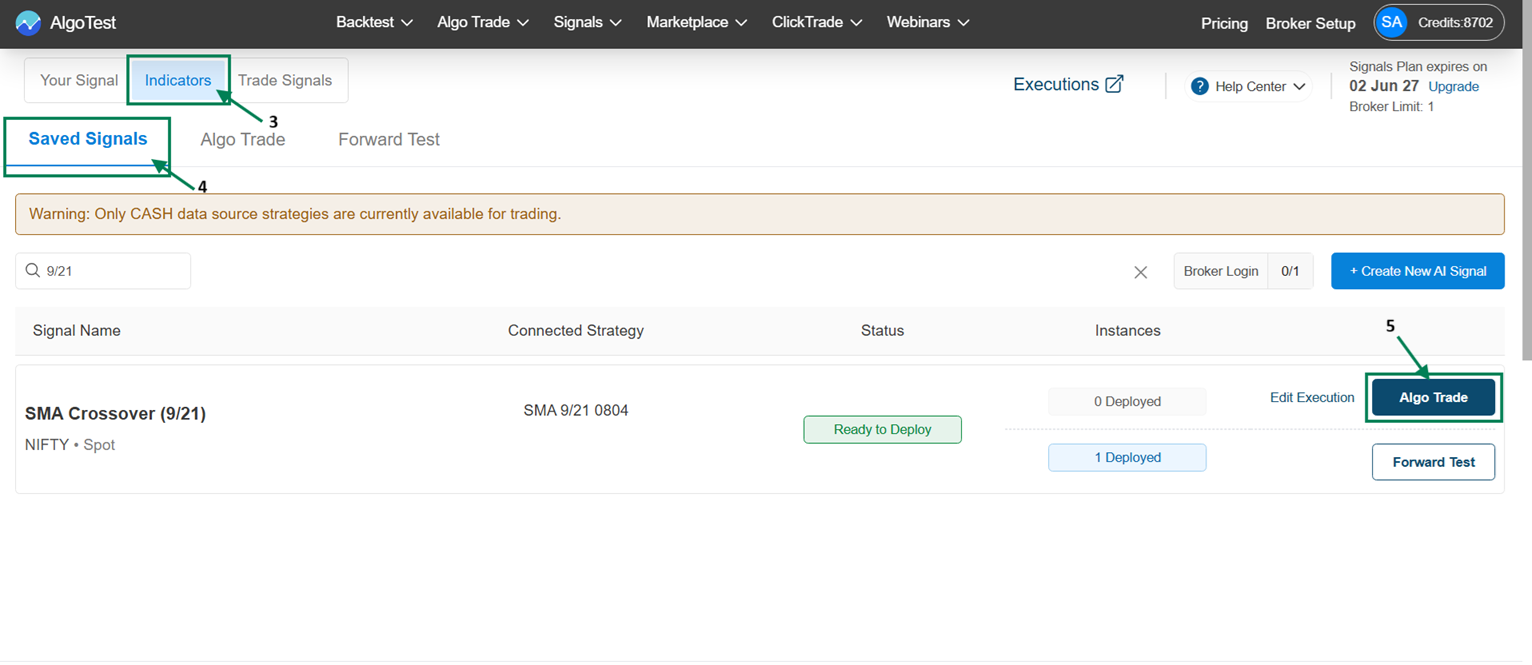
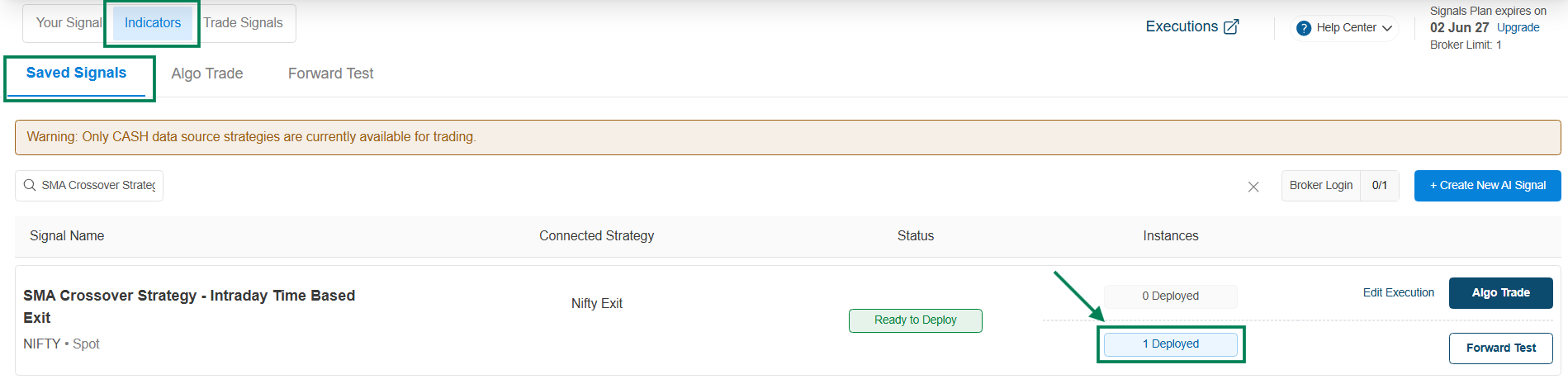
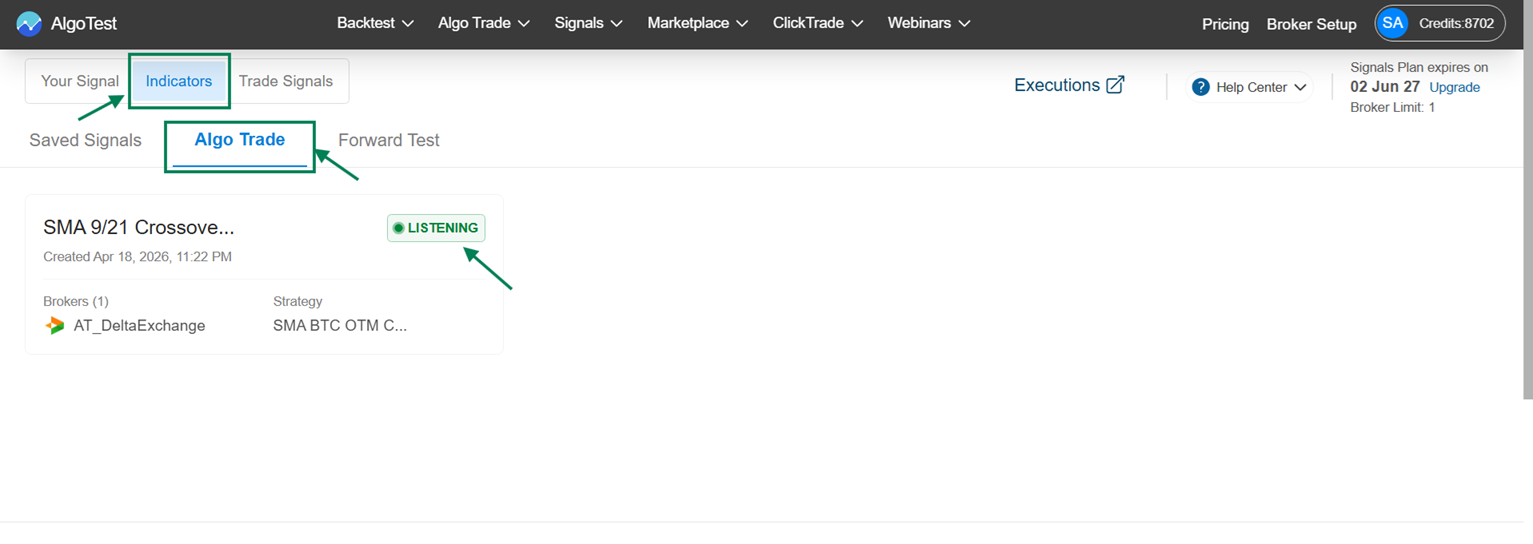
Once you click on AlgoTrade, the instance will show as 1 Deployed, and the strategy will start listening under Indicator → AlgoTrade.
→ Here you can see the strategy in the AlgoTrade.
→ Strategy Controls : Key Features
Click on a Strategy to access the strategy control features and to check the executed order details.
\
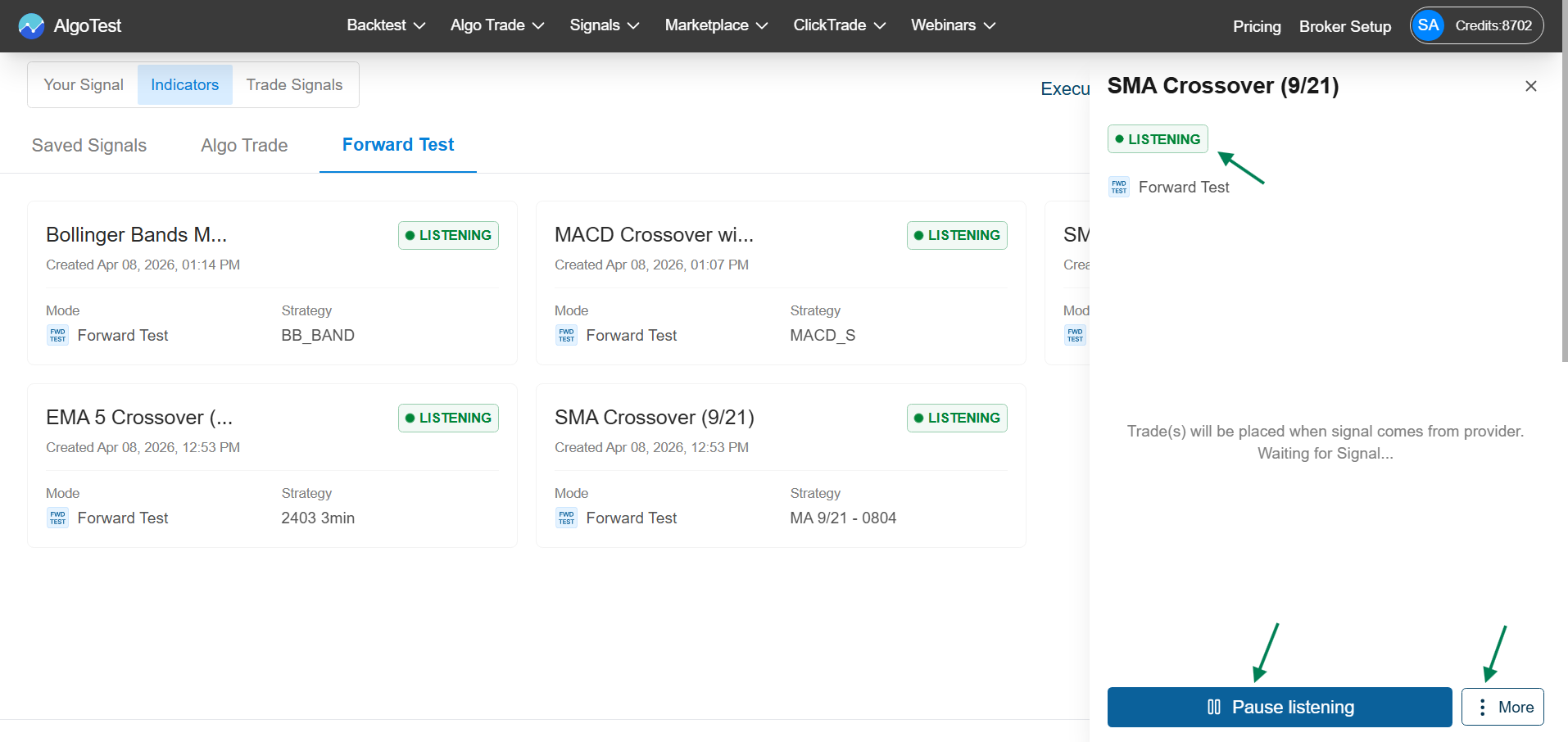
More Options
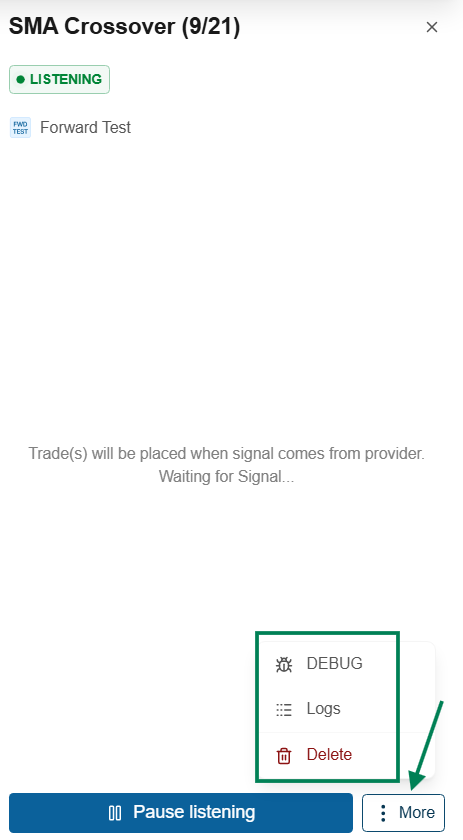
-
Debug: Click on Debug to copy the strategy details for Troubleshooting.
-
Logs: Click on Debug to view all activity and signal-related Logs.
-
Delete: Click on Debug to stop and remove the forward test Instance.
These controls help you easily manage and monitor your strategy AlgoTrading.
\